📘 Introduction
Understanding the need for deep focus in modern work.
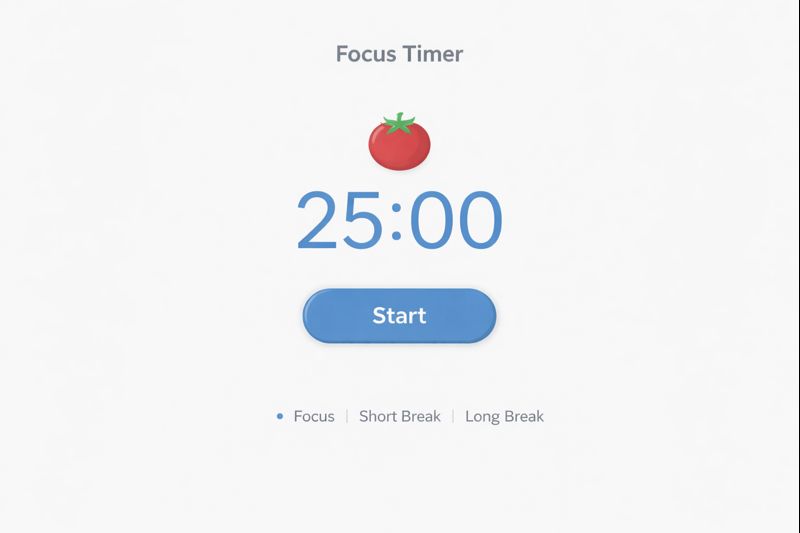
In today’s digital environment, distractions are constant. Notifications, emails, and multitasking habits interrupt concentration and reduce work quality. Many people spend hours working but achieve little meaningful progress because their attention is fragmented. The Focus Session Timer is designed to address this issue by creating intentional blocks of uninterrupted work time. It helps users protect their attention and work with greater clarity and purpose.
A focus session is a dedicated period where attention is directed toward a single task without interruptions. By using a timer, users commit mentally to staying focused until the session ends. This simple structure trains the brain to resist distractions and build stronger concentration habits. Over time, consistent focus sessions lead to higher productivity, better work quality, and reduced mental exhaustion.
⏱️ Focus Session Timer (Tool)
Set a focus duration and work without distractions.
- Turn off notifications.
- Work on one task only.
- Take a short break after completion.
- Track your daily sessions.
Table of Contents
⚡ Quick Summary
A fast overview of the Focus Session Timer.
The Focus Session Timer helps users work in dedicated, distraction-free sessions. Instead of multitasking, users commit to one task for a defined period. This approach improves attention and reduces stress caused by constant interruptions.
By repeating focus sessions daily, users develop better concentration, stronger discipline, and a healthier relationship with work. The tool is simple, flexible, and suitable for both personal and professional use.
Key Takeaways
- Dedicated focus sessions
- Reduced distractions
- Improved productivity
- Better task completion
- Sustainable focus habits
📖 What Is This Tool?
Definition of the Focus Session Timer.
The Focus Session Timer is a productivity tool that allows users to define a time block for focused work. During this session, the user commits to avoiding distractions and concentrating on a single task. The timer provides a clear start and end, reducing decision fatigue.
Unlike generic timers, this tool is designed specifically for focus and deep work. It supports intentional productivity rather than reactive task switching.
Tool Definition
- Focus-based timer
- Deep work support
- Timeboxing tool
- Distraction reduction aid
- Productivity enhancer
🎯 Who This Tool Is For
Ideal users of the Focus Session Timer.
The Focus Session Timer is ideal for students, professionals, freelancers, and creatives who need uninterrupted time to complete meaningful work. It is especially helpful for people who struggle with distractions or procrastination.
Remote workers and knowledge workers benefit greatly from structured focus sessions that help separate deep work from shallow tasks.
Ideal Users & Customer Profiles
- Students
- Remote workers
- Freelancers
- Developers
- Writers
😖 Core Pain Points This Tool Solves
Problems caused by distraction and lack of focus.
Many people feel busy all day but fail to complete important tasks. Distractions break concentration and reduce efficiency. Without structure, focus quickly fades.
The Focus Session Timer directly addresses these challenges by creating protected time for deep work.
Problems Users Face
- Constant interruptions
- Low concentration
- Procrastination
- Mental fatigue
- Poor task completion
- Time wastage
- Lack of structure
✅ How This Guide Solves Those Pain Points
How focus sessions improve productivity.
This guide explains how to use focus sessions effectively by committing to one task at a time. It teaches users how to protect attention and minimize interruptions.
By applying these principles, users experience improved concentration and reduced stress.
How This Content Helps
- Encourages single-tasking
- Improves concentration
- Builds focus habits
- Reduces overwhelm
- Improves output quality
- Creates structure
- Enhances productivity
💡 Why Use This Tool
Value of structured focus sessions.
Using the Focus Session Timer helps users reclaim control over their attention. Instead of reacting to distractions, they work intentionally.
This leads to better results with less effort and stress.
Value Proposition
- Better focus
- Less distraction
- Higher productivity
- Improved discipline
- Clear work boundaries
⏰ When to Use This Tool
Best situations for focus sessions.
This tool is best used when tasks require concentration and quality thinking. It works well for studying, writing, coding, and planning.
It is also effective during busy days when distractions are high.
Best Use Scenarios
- Deep work
- Study sessions
- Creative tasks
- Problem solving
- Learning sessions
🛠️ How to Use This Tool
Step-by-step focus session usage.
Start by selecting a single task and setting a focus duration. Begin the timer and work without distractions until it ends.
After the session, take a short break before starting the next one.
Usage Steps
- Choose a task
- Set focus duration
- Start timer
- Work without interruption
- Take a break
🏆 Benefits of Using This Tool
Advantages of focus sessions.
The Focus Session Timer helps users complete important tasks more efficiently. It reduces mental load and improves work satisfaction.
Over time, users develop stronger attention control and productivity habits.
Key Advantages
- Improved focus
- Reduced procrastination
- Higher quality work
- Better time awareness
- Lower stress
- Clear task boundaries
- Consistent productivity
- Mental clarity
- Improved discipline
- Sustainable workflow
🔒 Privacy, Security
Data protection and trust.
The Focus Session Timer is designed with privacy in mind. No personal data is required to use the tool.
All focus sessions are controlled by the user, ensuring transparency and trust.
Your Data Safety
- No account required
- No data tracking
- Privacy-first design
- User-controlled sessions
- Secure usage
- Transparent operation
Also Known As
FAQs
What is a focus session?
A focus session is a dedicated period of uninterrupted work.
Is this tool free?
Yes, it is completely free.
Do I need an account?
No account is required.
Who should use this tool?
Anyone needing better focus.
Is it good for studying?
Yes, it is ideal for study sessions.
Can professionals use it?
Yes, it suits all professionals.
Does it reduce distractions?
Yes, by structuring focus time.
Is it beginner friendly?
Yes, very easy to use.
Can I customize session length?
Yes, session length is flexible.
Does it track my data?
No personal data is stored.
Is it good for remote work?
Yes, remote workers benefit greatly.
Does it prevent burnout?
Yes, by encouraging breaks.
Can I use it daily?
Yes, daily use is recommended.
Is it suitable for creative work?
Yes, it supports creative focus.
Does it improve productivity?
Yes, significantly.
Is it mobile friendly?
Yes, it works on all devices.
Can teams use it?
Yes, teams can adopt it.
How long should a focus session be?
Typically 30–90 minutes.
Can it replace Pomodoro?
It can be used independently or together.
Why use focus sessions?
To work deeply and efficiently.
🔧 Other Productivity Tools
🗂️ Tool Categories
No categories available