📘 Introduction
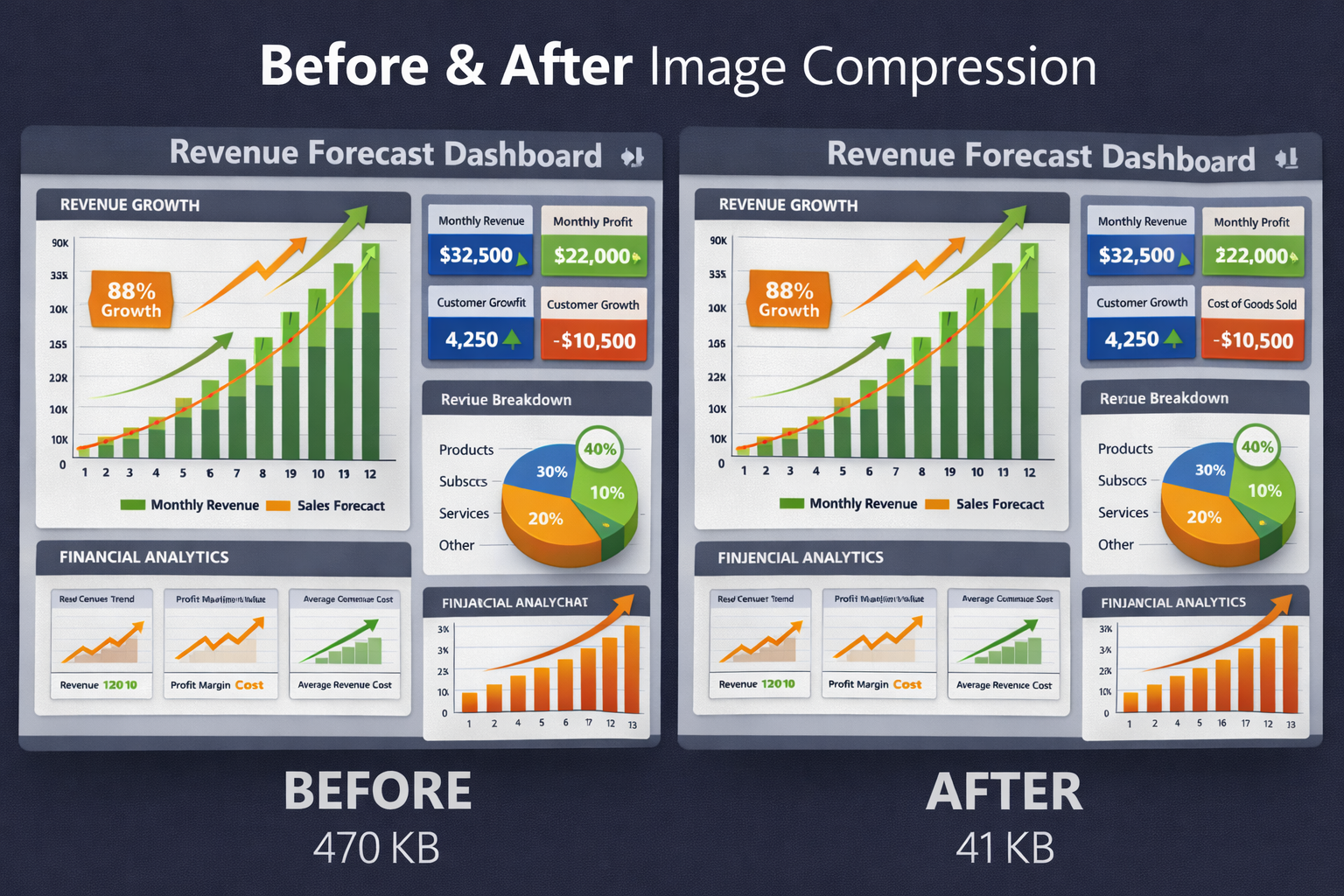
Images are a critical component of modern websites, applications, and digital marketing campaigns. While high-quality images improve visual appeal and user engagement, large image file sizes can significantly slow down page load times. This negatively impacts user experience, mobile performance, and search engine rankings. Optimizing images has therefore become a best practice for web performance and SEO.
The Image Compressor helps solve this challenge by reducing image file sizes while preserving visual quality. By applying intelligent compression techniques, it removes unnecessary data from images without noticeable degradation. This allows websites to load faster, consume less bandwidth, and deliver a smoother experience across all devices.
🖼️ Image Compressor (Tool)
Upload an image and choose how much you want to compress it.
Table of Contents
⚡ Quick Summary
The Image Compressor reduces image file sizes quickly without noticeable quality loss.
It supports common image formats and helps improve website performance instantly.
Key takeaways
- Lossless compression
- Fast processing
- Multiple format support
- Easy to use
- No signup required
📖 What Is This Tool?
The Image Compressor is an online tool that reduces image file sizes by optimizing image data.
It works by applying smart compression algorithms that maintain visual quality while removing unnecessary information.
Tool Definition
- Compresses images
- Reduces file size
- Preserves quality
- Supports web formats
- Fast and reliable
🎯 Who This Tool Is For
This tool is ideal for web developers, designers, marketers, and content creators who regularly work with images.
Businesses, agencies, and bloggers also benefit from faster-loading websites achieved through image compression.
Ideal Users & Customer Profiles
- Web developers
- Designers
- SEO professionals
- Marketers
- Content creators
😖 Core Pain Points This Tool Solves
Large image files are one of the most common reasons for slow-loading websites.
Manually optimizing images can be complex, time-consuming, and inconsistent.
Problems Users Face
- Large image sizes
- Slow page loads
- Poor mobile performance
- High bandwidth usage
- Manual optimization effort
- Inconsistent quality
- SEO impact
✅ How This Guide Solves Those Pain Points
The Image Compressor automates the optimization process, eliminating manual effort.
Users can compress images instantly and confidently without worrying about quality loss.
How This Content Helps
- Automated compression
- Consistent results
- Quality preservation
- Faster workflow
- Reduced errors
- Time saving
- Performance improvement
💡 Why Use This Tool
Optimized images significantly improve website speed and user experience.
This tool provides a simple and effective way to achieve that optimization.
Value Proposition
- Faster websites
- Better SEO
- Improved UX
- Easy to use
- Free access
⏰ When to Use This Tool
Use the Image Compressor before uploading images to websites or apps.
It is also useful during performance optimization and SEO audits.
Best Use Scenarios
- Before website upload
- SEO optimization
- Performance audits
- Mobile optimization
- Content publishing
🛠️ How to Use This Tool
Upload or drag and drop your image into the tool.
Download the compressed image after processing.
Usage Steps
- Upload image
- Start compression
- Preview result
- Download image
- Use optimized file
🏆 Benefits of Using This Tool
Compressed images reduce load times without compromising design quality.
This tool ensures consistent optimization across all images.
Key Advantages
- Smaller file sizes
- Faster loading
- Better SEO
- Improved UX
- Lossless quality
- Free usage
- Fast processing
- Beginner friendly
- Production ready
- Cross-platform
🔒 Privacy, Security
Images are processed instantly and never stored on servers.
No tracking or data retention ensures full privacy.
The tool follows a privacy-first approach.
Your Data Safety
- No image storage
- No tracking
- Secure processing
- Anonymous usage
- Privacy focused
- Trusted by users
Also Known As
Alternative names and related search terms.
FAQs
What is an Image Compressor?
It reduces image file size while maintaining visual quality.
Does compression reduce image quality?
No noticeable quality loss with lossless compression.
Is this tool free?
Yes, completely free.
Which formats are supported?
Common formats like JPG, PNG, and WebP.
Is my image stored?
No, images are not stored.
Does it improve website speed?
Yes, smaller images load faster.
Is signup required?
No signup required.
Can beginners use it?
Yes, very easy to use.
Is it mobile friendly?
Yes, works on mobile devices.
Can I use compressed images in production?
Yes, production ready.
Does it support batch uploads?
Planned for future updates.
Is it fast?
Yes, instant compression.
Does it help SEO?
Yes, faster pages help SEO.
Is it secure?
Yes, privacy focused.
Can designers use it?
Yes, ideal for designers.
Does it work online?
Yes, browser based.
Does it change image dimensions?
No, dimensions remain the same.
Is there a file size limit?
Depends on implementation limits.
Does it support transparency?
Yes, PNG transparency is preserved.
Who should use it?
Anyone optimizing images for web or apps.
🔧 Other Image Tools
🗂️ Tool Categories
No categories available