📘 Introduction
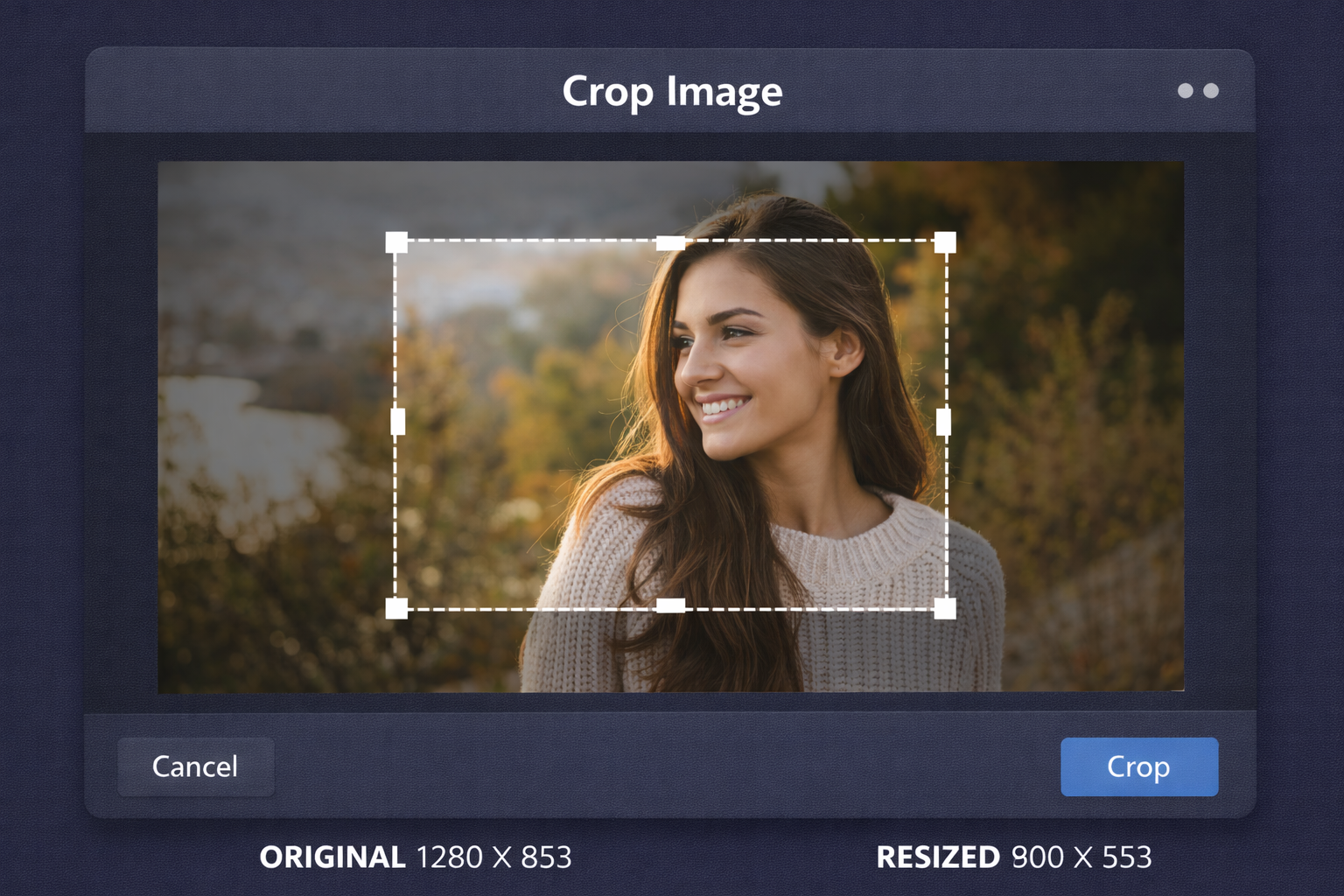
Images play a critical role in visual communication, but not every image is perfect straight out of the camera or design tool. Often, images contain unnecessary background elements, distractions, or incorrect framing that reduce their impact. Cropping is one of the simplest yet most powerful ways to improve image composition, focus attention on key subjects, and adapt visuals to different platforms and layouts.
The Image Cropper tool is designed to make cropping simple, accurate, and accessible to everyone. Instead of relying on complex photo-editing software, users can upload an image, select the desired area, and instantly download a perfectly cropped version. Whether you are preparing images for websites, social media, presentations, or marketing materials, this tool ensures clean results without compromising image quality.
✂️ Image Cropper (Tool)
Table of Contents
⚡ Quick Summary
The Image Cropper allows users to crop images online with precision and ease. It provides an intuitive interface that makes selecting and adjusting crop areas straightforward, even for beginners.
With high-quality output and privacy-focused processing, the tool is ideal for both personal and professional image editing needs.
Key takeaways
- Crop images instantly
- Precise selection controls
- No quality loss
- Browser-based and free
- No signup required
📖 What Is This Tool?
The Image Cropper is an online image editing tool that allows users to cut out specific portions of an image while discarding the rest. It focuses on simplicity and accuracy, enabling users to define the exact area they want to keep.
By using optimized image processing techniques, the tool ensures that the cropped image retains its original clarity and resolution, making it suitable for professional use.
Tool Definition
- Online image cropping
- Drag-and-select interface
- High-quality output
- Fast processing
- Beginner friendly
🎯 Who This Tool Is For
The Image Cropper is ideal for designers, marketers, bloggers, developers, students, and business owners who regularly work with images. It is especially useful for users who need quick edits without advanced photo-editing skills.
Agencies and content teams can also benefit from the tool by standardizing image framing across campaigns and platforms.
Ideal Users & Customer Profiles
- Graphic designers
- Digital marketers
- Content creators
- Web developers
- Business owners
😖 Core Pain Points This Tool Solves
Many users struggle with images that contain unnecessary elements or incorrect framing. Removing these distractions using traditional tools can be time-consuming and complex.
Incorrect cropping can also lead to quality loss or distorted visuals, especially when using low-quality editors.
Problems Users Face
- Unwanted background areas
- Distracting elements
- Complex editing software
- Quality loss after cropping
- Time-consuming workflows
- Inconsistent results
- Poor composition
✅ How This Guide Solves Those Pain Points
The Image Cropper simplifies the cropping process by offering an intuitive selection interface and instant previews. Users can quickly adjust crop boundaries until they achieve the desired result.
By maintaining image resolution and clarity, the tool eliminates concerns about quality degradation.
How This Content Helps
- Easy cropping controls
- Instant preview
- Quality preservation
- Reduced editing time
- Beginner friendly
- Consistent output
- Improved composition
💡 Why Use This Tool
Cropping images correctly enhances visual storytelling and user engagement.
This tool offers a fast, reliable, and free solution for precise image cropping.
Value Proposition
- Accurate cropping
- High-quality results
- No learning curve
- Fast processing
- Free to use
⏰ When to Use This Tool
Use the Image Cropper when preparing images for websites, social media, presentations, or marketing campaigns.
It is also helpful when improving composition or focusing attention on key elements.
Best Use Scenarios
- Website images
- Social media posts
- Marketing creatives
- Presentations
- Content optimization
🛠️ How to Use This Tool
Upload your image into the Image Cropper.
Select the area you want to keep and download the cropped image.
Usage Steps
- Upload image
- Select crop area
- Adjust boundaries
- Preview result
- Download cropped image
🏆 Benefits of Using This Tool
Well-cropped images look more professional and visually appealing.
This tool ensures consistent and high-quality cropping results.
Key Advantages
- Precise cropping
- No quality loss
- Fast workflow
- Easy to use
- Free access
- Consistent results
- Professional output
- Cross-platform support
- Privacy friendly
- Production ready
🔒 Privacy, Security
User images are processed securely and are not stored permanently.
The tool does not track personal data or image content.
A privacy-first approach ensures complete user trust.
Your Data Safety
- No image storage
- Secure processing
- No tracking
- Anonymous usage
- Privacy focused
- Trusted platform
Also Known As
Alternative names and related search terms.
FAQs
What is an Image Cropper?
It is a tool used to cut out a selected portion of an image.
Does cropping reduce image quality?
No, the tool preserves original image quality.
Is the Image Cropper free?
Yes, it is completely free.
Is signup required?
No signup is required.
Which formats are supported?
Common formats like JPG, PNG, and WebP.
Are images stored on servers?
No, images are not stored.
Can beginners use this tool?
Yes, it is beginner friendly.
Does it work on mobile devices?
Yes, it is mobile compatible.
Can I crop images for social media?
Yes, ideal for social media images.
Is the cropping precise?
Yes, it offers precise selection controls.
Can I preview before downloading?
Yes, instant preview is available.
Does it change image resolution?
Resolution is preserved for the cropped area.
Is it secure?
Yes, privacy-focused and secure.
Can designers use it professionally?
Yes, suitable for professional use.
Does it support batch cropping?
Planned for future updates.
Is it browser based?
Yes, works directly in the browser.
Can I use it for websites?
Yes, perfect for website images.
Does it require installation?
No installation required.
Can I crop images for presentations?
Yes, great for presentation visuals.
Who should use this tool?
Anyone needing quick and accurate image cropping.
🔧 Other Image Tools
🗂️ Tool Categories
No categories available