📘 Introduction
Why password list generation is essential for security.
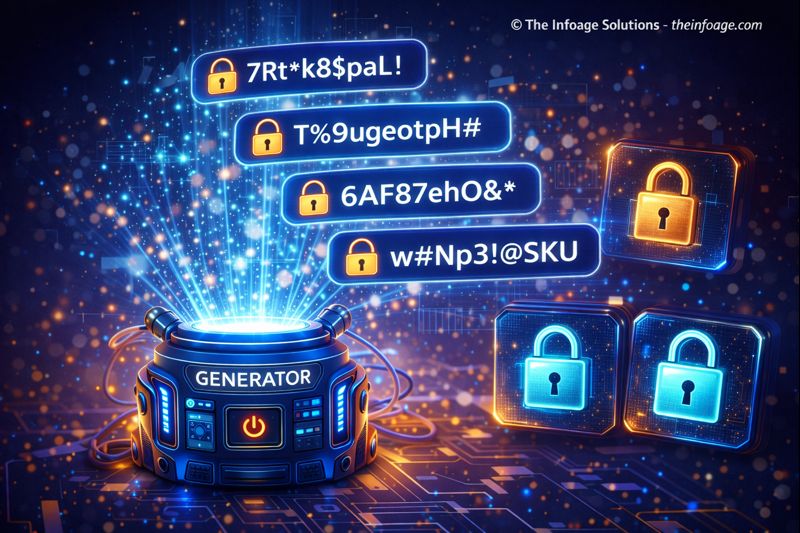
Passwords are the first line of defense in protecting digital accounts, systems, and sensitive information. Weak or reused passwords significantly increase the risk of unauthorized access and data breaches. A Password List Generator helps users create multiple strong and unpredictable passwords quickly, removing the need for manual effort or guesswork. This is especially useful for professionals who manage many accounts or need bulk passwords for testing and security purposes. With increasing cyber threats, relying on simple or repeated passwords is no longer safe. This tool allows users to generate secure password lists using combinations of characters, numbers, and symbols. By automating password creation, users reduce human error and improve overall digital security. This introduction explains why password list generation matters and how it supports safer online practices.
🔐 Password List Generator (Tool)
Generate strong random passwords based on your preferences.
Table of Contents
⚡ Quick Summary
Core insights about password list generation.
A Password List Generator enables users to create multiple secure passwords instantly without manual brainstorming. The key takeaway is efficiency combined with security. Instead of struggling to invent unique passwords, users can rely on automated generation that follows strong security patterns. Another important insight is flexibility. Password lists can be used for account management, testing environments, or educational demonstrations. This makes the tool valuable for both personal and professional use cases.
Key Takeaways
- Instant bulk password creation
- Improved account security
- No manual effort required
- Flexible use cases
- Beginner-friendly
📖 What Is This Tool?
Definition of a password list generator.
A Password List Generator is a utility tool that automatically creates multiple passwords using predefined security rules. These passwords are typically random and include combinations of uppercase letters, lowercase letters, numbers, and special characters. The tool is designed to help users avoid weak password practices while saving time. It is commonly used in cybersecurity testing, account setup, and password management workflows.
Tool Definition
- Generates multiple passwords
- Uses secure patterns
- Eliminates weak passwords
- Works instantly
- Easy to use
🎯 Who This Tool Is For
Ideal users and personas.
The Password List Generator is ideal for IT professionals, developers, system administrators, and everyday users who manage multiple online accounts. It is also useful for students learning cybersecurity concepts and testers who need sample passwords for environments. Anyone concerned about digital safety or efficiency can benefit from this tool.
Ideal Users & Customer Profiles
- IT professionals
- Developers
- System administrators
- Students
- General users
😖 Core Pain Points This Tool Solves
Problems with manual password creation.
Creating strong passwords manually can be frustrating and time-consuming. Users often forget complex passwords or reuse simple ones, which weakens security. This tool removes those pain points by generating secure passwords automatically.
Problems Users Face
- Weak passwords
- Password reuse
- Time-consuming creation
- Forgotten passwords
- Security risks
- Human error
- Complex requirements
✅ How This Guide Solves Those Pain Points
How password automation helps security.
This guide explains how automated password generation removes human bias and errors. By relying on randomness and security rules, users gain stronger protection. It also encourages best practices without requiring deep technical knowledge.
How This Content Helps
- Improves security
- Reduces effort
- Eliminates weak choices
- Saves time
- Encourages best practices
- Simplifies management
- Builds confidence
💡 Why Use This Tool
Value of password list generation.
Using a Password List Generator ensures that passwords meet modern security standards without manual work. It allows users to focus on productivity rather than memorization. The tool is fast, reliable, and accessible.
Value Proposition
- Stronger security
- Instant results
- No expertise required
- Reliable output
- Wide applicability
⏰ When to Use This Tool
Best scenarios for password generation.
This tool is best used when setting up new accounts, managing multiple logins, or performing security testing. It is also useful during password updates. Any situation requiring strong and unique passwords benefits from this tool.
Best Use Scenarios
- Account creation
- Password rotation
- Security testing
- System setup
- Educational demos
🛠️ How to Use This Tool
Steps to generate password lists.
Open the Password List Generator, choose preferences if available, and click generate. The tool instantly produces a list of secure passwords. You can repeat the process whenever needed.
Usage Steps
- Open the tool
- Set preferences
- Click generate
- Review passwords
- Copy or use
🏆 Benefits of Using This Tool
Advantages of password list generation.
The Password List Generator offers speed, security, and reliability. It ensures strong password practices without complexity. It is suitable for personal and professional environments.
Key Advantages
- Enhanced security
- Bulk generation
- No registration
- User-friendly
- Reliable randomness
- Time-saving
- Scalable
- Flexible
- Privacy-first
- Free utility
🔒 Privacy, Security
How user data is protected.
The Password List Generator does not store or transmit generated passwords. All generation happens securely without tracking. This ensures user privacy and trust.
Your Data Safety
- No data storage
- No tracking
- No login required
- Secure generation
- Privacy-first design
- Trusted platform
Also Known As
FAQs
What is a password list generator?
A tool that generates multiple secure passwords automatically.
Is it safe to use?
Yes, it does not store passwords.
Is it free?
Yes.
Do I need to sign up?
No.
Can I generate bulk passwords?
Yes.
Are passwords strong?
Yes, they follow secure patterns.
Can developers use it?
Yes.
Is it good for testing?
Yes.
Does it store data?
No.
Can I customize passwords?
Planned.
Is it beginner friendly?
Yes.
Does it work on mobile?
Yes.
Is it fast?
Instant.
Is it reliable?
Yes.
Does it improve security?
Yes.
Can I use passwords commercially?
Yes.
Who built it?
The Infoage Solutions.
Is it private?
Yes.
Does it require setup?
No.
Is it scalable?
Yes.
🔧 Other Misc And Utilities Tools
🗂️ Tool Categories
No categories available