📘 Introduction
Why temporary emails are essential for online privacy.
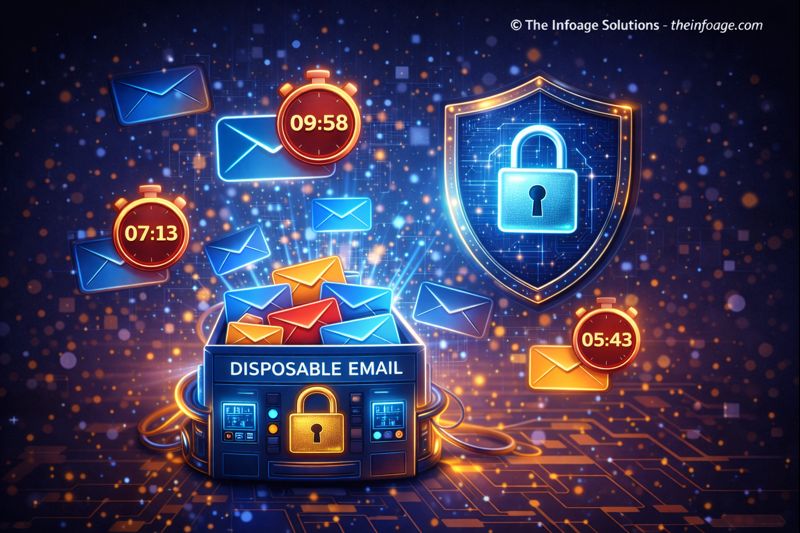
In the modern internet ecosystem, email addresses are often required for signups, downloads, trials, and access to online services. Unfortunately, sharing a personal or business email frequently results in spam, promotional messages, and even data misuse. A Temporary Email Generator solves this problem by providing disposable email addresses that can be used once and discarded without consequences. Temporary emails act as a privacy shield. They allow users to receive verification emails or test messages without exposing their real inbox. This is especially useful for developers, marketers, students, and everyday users who want to maintain inbox hygiene. By separating real identities from short-term interactions, temporary email usage significantly reduces long-term spam risks.
⏳📧 Temporary Email Generator (Tool)
Generate disposable temporary email addresses for quick signups and testing.
Table of Contents
⚡ Quick Summary
Essential highlights of temporary email usage.
A Temporary Email Generator instantly creates disposable email addresses that expire after a short time. These emails are ideal for one-time verifications, trials, and downloads. Users can receive messages without committing their personal inbox. The key takeaway is control. Temporary emails give users full control over how long an email identity exists, making them a powerful privacy and productivity tool.
Key Takeaways
- Instant disposable emails
- No signup required
- Spam prevention
- Privacy-focused
- Easy to use
📖 What Is This Tool?
Definition of a Temporary Email Generator.
A Temporary Email Generator is a utility tool that creates short-lived, disposable email addresses. These addresses can receive emails for a limited time before being automatically discarded. The tool does not require registration and does not link emails to user identities. It is widely used for privacy protection, QA testing, and avoiding marketing emails. The generated inbox is accessible instantly and can be refreshed or replaced at any time.
Tool Definition
- Disposable email creation
- Anonymous usage
- Short-term inbox
- Instant access
- No identity linkage
🎯 Who This Tool Is For
Ideal users of the Temporary Email Generator.
This tool is ideal for users who value privacy and efficiency. Developers and QA testers use it to test email workflows. Marketers use it to access gated content. Students and general users rely on it to avoid spam during signups. Anyone who wants to protect their real email address while accessing online services can benefit from this tool.
Ideal Users & Customer Profiles
- Developers
- QA testers
- Marketers
- Students
- Privacy-conscious users
😖 Core Pain Points This Tool Solves
Problems caused by sharing real email addresses.
Using a real email address for every signup often results in spam, phishing attempts, and privacy risks. Once an email is shared, it can be reused or sold without consent. Temporary email addresses eliminate these risks by acting as disposable buffers between users and unknown platforms.
Problems Users Face
- Spam overload
- Privacy loss
- Phishing risks
- Unwanted marketing
- Email reuse
- Data leaks
- Inbox clutter
✅ How This Guide Solves Those Pain Points
How temporary emails protect users.
The Temporary Email Generator provides instant disposable addresses that users can abandon without consequences. This removes long-term risk from short-term interactions. By isolating unknown platforms from personal inboxes, users gain peace of mind and control.
How This Content Helps
- Stops spam
- Protects identity
- Reduces risk
- Simplifies testing
- Improves inbox hygiene
- Enhances privacy
- Saves time
💡 Why Use This Tool
Value of disposable email usage.
This tool offers a fast, safe, and anonymous way to receive emails. It removes hesitation from online interactions. Users gain privacy without sacrificing access.
Value Proposition
- Anonymous usage
- Fast setup
- Zero commitment
- Spam-free inbox
- User-friendly
⏰ When to Use This Tool
Best scenarios for temporary emails.
Temporary emails are best used during one-time registrations, free trials, testing workflows, and content downloads. They are not recommended for long-term communication.
Best Use Scenarios
- Website signups
- Free trials
- Testing emails
- Download access
- Anonymous browsing
🛠️ How to Use This Tool
Steps to generate a temporary email.
Open the tool, copy the generated email address, and use it wherever required. Incoming emails appear instantly in the temporary inbox. Refresh or regenerate when finished.
Usage Steps
- Open the tool
- Copy email address
- Use for signup
- Read incoming email
- Discard when done
🏆 Benefits of Using This Tool
Advantages of temporary email usage.
The Temporary Email Generator significantly improves privacy and reduces inbox clutter. It is fast, free, and effective. It supports safer internet usage.
Key Advantages
- Spam protection
- Privacy control
- Instant inbox
- No registration
- Anonymous usage
- Free access
- Easy interface
- Testing friendly
- Time-saving
- Risk reduction
🔒 Privacy, Security
Data safety and privacy commitment.
No personal data is collected or stored. Temporary inboxes expire automatically, reducing exposure. This ensures maximum privacy.
Your Data Safety
- No data storage
- Anonymous access
- Auto-expiry
- Secure usage
- Transparent design
- Trusted platform
Also Known As
FAQs
What is a temporary email?
A disposable email address used for short-term purposes.
Is this tool free?
Yes, it is completely free.
Do emails expire?
Yes, they expire automatically.
Is registration required?
No.
Can I receive verification emails?
Yes.
Is it anonymous?
Yes.
Does it store messages?
Only temporarily.
Is it safe?
Yes.
Can developers use it?
Yes.
Does it prevent spam?
Yes.
Can I reuse emails?
No, they are disposable.
Is it legal?
Yes.
Is it mobile-friendly?
Yes.
Does it track users?
No.
Is it fast?
Instant.
Can students use it?
Yes.
Does it support attachments?
Depends on implementation.
Who built it?
The Infoage Solutions.
Is it reliable?
Yes.
When should I avoid using it?
For long-term communication.
🔧 Other Misc And Utilities Tools
🗂️ Tool Categories
No categories available